Track attendance and quorum in Zoom.
Know who is actually here and whether you have quorum before the chair calls the vote. RollCall matches Zoom participants to your roster, counts recorded proxies and ballots, and freezes the roll when a vote is called.
Free for rosters of up to 10 people. No card required. Or try a sample meeting first — no Zoom needed.
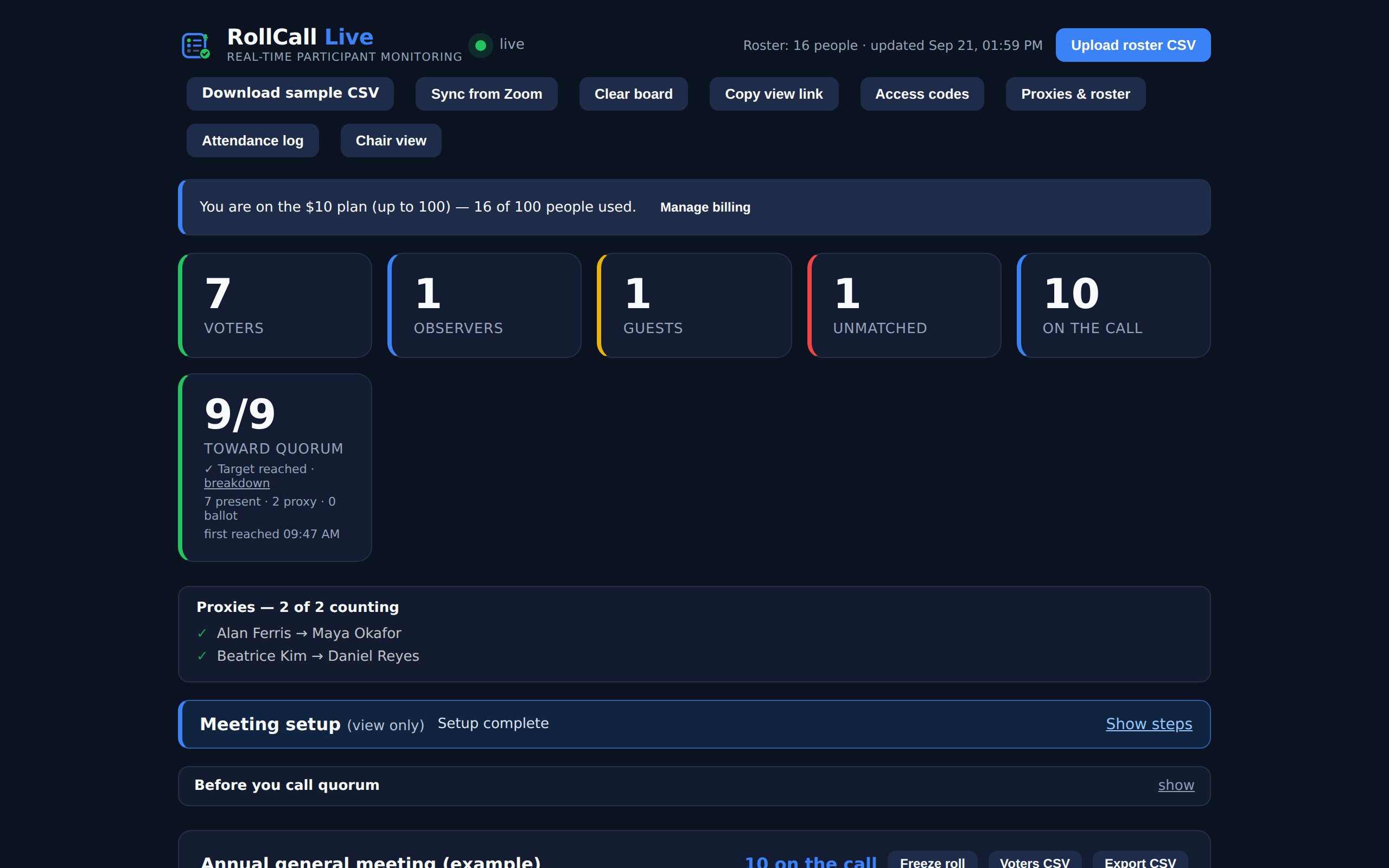
Match your roster, track quorum and save records
Match attendees to your roster
Classify people as Voters, Observers or Guests. Review unmatched names and confirm suggested matches yourself.
Track your quorum count
See eligible members counted as present, represented by proxy, or recorded as having submitted a ballot. Check that these counting rules fit your meeting.
Keep the meeting record
Freeze the roll when needed. Download attendance reports and a meeting pack for your minutes. Records are retained for 30 days, so save the exports you need.
How to set up RollCall Live
Install using the Zoom account that will host your meetings. Users on the same Zoom account share one RollCall board. If a colleague already set it up, ask them for access.
Add RollCall to the Zoom account that will host the meeting.
Save your board link and codes, upload your roster, and set the quorum target.
Review attendance during the meeting, freeze the roll, and export your records.
RollCall currently uses headcount, not weighted ownership. It reports the count; the chair determines whether quorum requirements are met.
RollCall Live pricing
Every plan includes the same features. Choose by roster size. Prices are in USD.
Free
Live
Pro
Start free. Upgrade, change plans or cancel from your board. If your roster grows past your plan, tracking continues and the board prompts you to upgrade.
Questions about RollCall Live for Zoom
Does Zoom have a built-in quorum tracker?
No. Zoom shows a participant list and, after the meeting, a usage report of who joined and left. It does not know which participants are voting members, does not count proxies or ballots, and does not tell you whether quorum is present. RollCall adds that: it matches participants to your roster and shows a live quorum count during the meeting. Zoom report vs live roster →
Does everyone need to install it?
No. The meeting organizer installs RollCall. Participants join Zoom as usual; anyone viewing the board needs a view code or view link.
Does RollCall conduct the vote?
RollCall tracks attendance and quorum. It does not collect or tally votes. A recorded ballot marks a member for quorum counting where your rules permit it.
Can we use it for weighted quorum?
Not currently. Each eligible member counts as one. Stored weights do not affect the quorum total.
Can colleagues create separate boards?
Users on the same Zoom account share one RollCall board. Installing with another user does not create a separate board. Ask the person who set it up for access.
What information does it use?
RollCall uses your Zoom profile, meeting details and participant information. It does not join the meeting or access audio, video, chat or recordings. Read the privacy policy for details.
How long are records kept?
Attendance records and frozen rolls are retained for 30 days. Download the meeting pack after each meeting if you need to keep it longer.
Ready for your next meeting?
Add RollCall to Zoom and try it with a roster of up to 10 people.
Need help? Email jp@dataonthespot.com. RollCall Live is a product of Data On The Spot.